Author: Revoltit

  • Managed IT Services: One-Stop Solution to Your Company’s IT Problem

    Managed IT Services: One-Stop Solution to Your Company’s IT Problem

    The success of your business depends on your IT infrastructure — it’s often the source of competitive advantage for small and medium-sized organizations. Outdated or poorly performing IT hurts productivity, and running a full-time, in-house IT department can be a heavy burden of time, money, and staffing. That’s why many businesses turn to managed IT services.

    What Are Managed IT Services?

    ‘Managed services’ describes the model that has replaced traditional IT support, where a Managed Service Provider — a team with expertise in networks, computers and other IT needs — handles the risk and responsibility of managing your IT systems.

    What Are the Benefits?

    Managed IT services increase performance, reliability and security without the cost of a full in-house staff. A good provider prevents expensive network disasters through proactive maintenance, planned backups, security and disaster recovery. Outsourcing lets you focus on your business instead of solving IT problems yourself.

    What Services Does a Provider Offer?

    Technical staff perform remote maintenance and support, providing 24×7 monitoring so your network runs at maximum speed and stability. This includes virus protection, backup monitoring, software patching, desktop management, firewall management, spyware detection, and hardware/software auditing.

    Find a provider that understands your company’s IT requirements and helps you reach your goals — look beyond marketing at services offered, customer service, availability and reputation.

  • Phishing Attacks

    Phishing Attacks

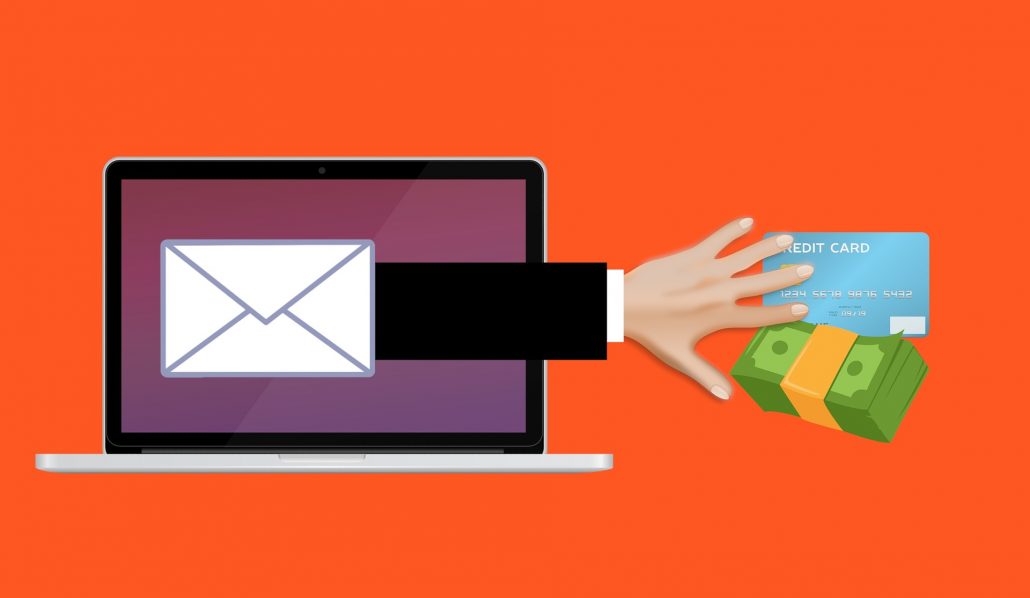
    Phishing is a social engineering attack often used to steal user data, including login credentials and credit card numbers. An attacker masquerading as a trusted entity dupes a victim into opening an email, instant message, or text message, tricking them into clicking a malicious link that can install malware, freeze the system in a ransomware attack, or reveal sensitive information.

    Common Phishing Techniques

    1. Breach of Trust — a spoofed email that looks like it’s from your bank, leading to a fake login page that steals your credentials.
    2. False Lottery — a prize notification, seemingly from someone you trust, that loads malware when clicked.
    3. Data Update — a normal-looking attached document that installs malware, potentially logging keystrokes for months.
    4. Sentimental Abuse — an emotional appeal for donations that leads to a bogus charity site stealing credit card details.
    5. Impersonation — a request, seemingly from your boss, to wire money urgently to an untraceable account.

    Preventing Phishing Attacks

    1. Stay informed about new phishing techniques, with ongoing security awareness training for staff.
    2. Think before you click — hover over links, be wary of generic greetings like ‘Dear Customer’, and go directly to the source when unsure.
    3. Install an anti-phishing toolbar in your browser to flag known malicious sites.
    4. Verify a site’s security — look for ‘https’ and a lock icon before entering any information.
    5. Check your accounts regularly and change passwords often.
    6. Keep your browser updated to patch newly discovered security holes.
    7. Use firewalls — both a desktop firewall and a network firewall.
    8. Be wary of pop-ups — close them with the window’s ‘x’, not a ‘cancel’ button.
    9. Never give out personal information over email — call the company directly if in doubt.
    10. Use antivirus software and keep it updated with the latest definitions.
  • Cybersecurity Tips to Make Your Workforce a Security Front Line

    Cybersecurity Tips to Make Your Workforce a Security Front Line

    Cybersecurity issues cost companies around $400 billion a year on average. One of the easiest ways to curb these losses is training your employees to create a more secure email environment — staff who aren’t aware of the onslaught of cyber threats are a liability to your company’s data.

    Here are tips to safeguard your business:

    • Never open links or attachments from unknown persons.
    • Don’t respond to emails requesting a password change or personal information — no matter how official the source looks.
    • Keep antivirus and anti-spy software updated.
    • Encrypt any emails containing sensitive data before sending.
    • Don’t use your company email for personal emails.
    • Don’t auto-forward company emails to a third-party system.
    • Set strict standards for company-related mobile device usage.

    Mobile devices bring their own wave of cyber threats. Make sure employees use password-protected devices, encrypt emails, and only download approved security applications. Mobile Device Management can help with these safety features, including the ability to remotely wipe a lost or stolen device.

    Get in touch for all your security or Office 365 needs.

  • Benefits of Disaster Recovery As a Service

    Benefits of Disaster Recovery As a Service

    In any business, especially an IT firm, data is one of the key elements used in running daily operations. Advances in technology have paved the way for Disaster Recovery as a Service (DRaaS), which offers real advantages over traditional backup and in-house disaster recovery.

    Fewer Necessary Resources

    DRaaS recovery data lives in the cloud, cutting on-premises hardware requirements. It can protect a single server or a whole group, letting companies resume limited operations much faster than with traditional DR.

    Cyberattack Mitigation

    Cyberattacks like ransomware and phishing pose huge threats. With DRaaS, you can invoke your DR plan to bring applications live in the cloud from a clean copy of your data, then replicate back once your production systems are clean — beating negotiating with an attacker for your data.

    Lower Cumulative Costs

    Since the provider owns the hardware and software, your initial investment is small compared to buying and maintaining your own backup servers.

    Easier Testing

    Failover testing becomes as simple as pointing and clicking, with good tools for monitoring and an easily verifiable audit trail.

    Flexibility

    DRaaS lets you choose recovery scopes for different disaster types — server failure, human error, power loss, data tampering and more.

    Rapid and Immediate Recovery

    Every second of downtime costs money. A DRaaS solution can restore normal operations within minutes of a disaster.

    Reliable Security

    Choose a provider carefully — look for regulatory compliance, physical data center security, encryption in-flight and at rest, and automated health monitoring with reporting.

    Streamlines In-House IT Needs

    DRaaS lets businesses without deep IT expertise leverage a provider’s specialists for a more effective disaster recovery solution.

  • Managed Services vs Reactive Break-Fix

    Managed Services vs Reactive Break-Fix

    Small and medium-sized businesses juggle a lot: acquiring customers, avoiding inefficiency, managing costs, hiring, and keeping up with industry trends. Technology can help, but it brings its own challenges — which is where managed services come in: specialized IT support delivered under a clear service-level agreement for a low, predictable cost.

    Stability and Expertise

    Predictable IT costs replace unpredictable break-fix bills with a stable, budgetable schedule. Legitimate training and real-world experience mean a managed service provider has likely already seen your problem before, unlike a narrowly-focused in-house hire.

    Reduced Risk, Leveled Playing Field

    A trusted MSP absorbs much of the risk that comes with fast-changing regulations and technology, giving small businesses enterprise-level solutions and compliance support (firewalls, audits, PCI standards) they couldn’t otherwise afford.

    Break-Fix: High Cost, Low Value

    Many small firms drift through stages: an untrained employee handling IT on the side (‘Hey, Margaret!’), a part-time contractor stretched across many clients (‘I got a guy’), a reactive one-off repair shop (‘Call in the Geek Squad’), and finally a single in-house hire who’s perpetually stuck reacting to the next fire.

    Managed Services: Low Cost, High Value

    A proactive approach identifies problems before they affect productivity, applies the right-skilled resource to each issue, and enables fast response at multiple support levels — improving both immediate productivity and long-term technology literacy.

    The break-fix model has failed to meet the needs of small and medium businesses and strained the relationship between technicians and the businesses they serve. Only a shift toward managed IT support can deliver greater efficiency at a lower, more predictable cost.

  • Why You Need Office 365 to Be A Success

    Why You Need Office 365 to Be A Success

    Office 365 is the next level of the traditional Microsoft Office package — a subscription-based virtual office that goes beyond Word, Excel and PowerPoint, adding dynamic tools like OneDrive, Skype and Yammer.

    New Applications Are More Office-Friendly — beyond the traditional apps, Office 365 adds OneDrive, Skype and Yammer to help you get the most out of your potential.

    Use the Latest Version and Save Money — applications update automatically for free, with no need to buy pricey new software.

    Mobility Matters — work from anywhere, anytime, with tools like Skype video calling making remote meetings productive.

    No Platform Restriction — Apple, Android and Windows all work flawlessly, with up to 15 licenses across mobile, tablet and PC/Mac.

    Sharing Is Caring — real-time co-editing and sharing across every app, with Yammer working like an internal social network for discussion and review.

    Award-Winning Security — work with confidence behind a robust, award-winning security layer.

    Superb Storage Solution — OneDrive gives you a staggering 5 terabytes of space.

    Boost Your Productivity — Office 365 is built to keep you productive all 365 days of the year, helping you stay a step ahead of the competition.

  • How Can SharePoint Help in Business Management?

    How Can SharePoint Help in Business Management?

    Microsoft SharePoint is a web application platform built for document and content management. It handles huge amounts of data with flexibility and support for add-ons, and each version brings enhanced capabilities for managing business operations.

    Complete Management — SharePoint works as an intranet supporting document management, project collaboration, workflow applications, and a portal for posting key metrics and performance indicators.

    Workflow Improvement — SharePoint’s cloud solutions handle almost any business workflow, integrating well with the Microsoft Office stack, Outlook, and even natively with SQL Server.

    Collaboration in the Workplace — instead of passing a task from person to person, a procedure manual can be uploaded once and edited by different people on a single platform.

    Easy Customization — store files directly on SharePoint instead of emailing attachments, restrict or grant access to specific users, and share a directory with a simple link.

    Security — individual team sites can be locked down so only members of that team even know the site exists, making SharePoint sites extremely secure.

    Support Services — SharePoint support services are especially useful for small and mid-sized organizations that lack a formal document management or business automation system.